
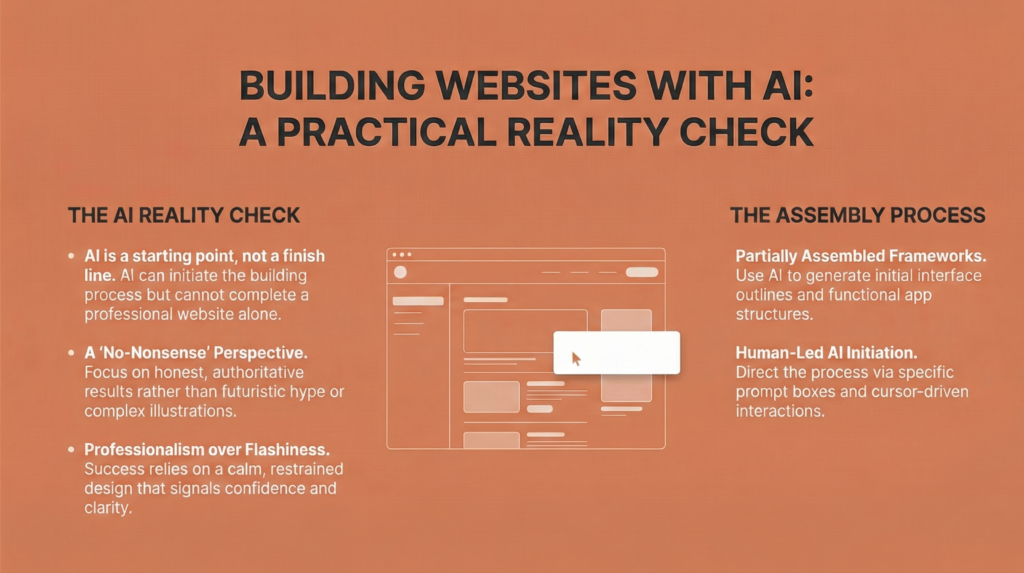
A Practical Reality Check Before Relying on AI to Build Websites and Apps
AI has made building websites and apps look deceptively simple.
Type a prompt.
Generate a design.
Publish a site.
For small and medium businesses, this feels like freedom. No developers. No long timelines. No expensive agencies.
Yet in 2026, many business owners who start building with AI never actually launch, or they launch something that does not convert, scale, or survive beyond a few months.
At Grainzap, we increasingly meet business owners who say the same thing
“I tried AI tools, but I got stuck halfway.”
This blog explains why that happens, what AI tools are actually good at, which tools small businesses should realistically use, what knowledge is still required, and how to plan the process properly so AI becomes an advantage, not a dead end.
Why small businesses are rushing to AI website tools
The motivation is valid.
Small businesses face
Limited budgets
Low technical knowledge
Fear of choosing the wrong developer
Pressure to move fast
AI promises speed and independence. Tools now claim to build entire websites, apps, and stores automatically.
The problem is not AI.
The problem is expectation.
AI reduces effort. It does not remove thinking.
Why many small businesses get stuck using AI
Most businesses fail with AI tools for the same reasons.
First, there is no clarity about what needs to be built. AI can generate pages, but it cannot decide which pages actually matter for sales.
Second, business owners skip planning and jump directly into tools. Without knowing user flow, conversion goals, or content structure, AI outputs feel disconnected.
Third, AI outputs look finished but are not operational. Forms break, payments are not set up correctly, mobile usability is poor, and performance is slow.
Finally, there is no plan for maintenance. Websites and apps need updates, fixes, and optimization. AI does not eliminate that responsibility.
AI accelerates execution. It does not replace ownership.
What AI is genuinely good at for websites
AI works best as an assistant in specific areas.
AI is strong at
Drafting page layouts
Generating first version copy
Creating basic wireframes
Suggesting UI patterns
Speeding up repetitive tasks
For example, AI can quickly create a homepage structure or draft product descriptions. This saves time and reduces dependence on manual writing.
However, AI does not understand business context unless guided very clearly.
What AI cannot replace for small businesses
This is where realism matters.
AI cannot replace
Business strategy
Customer psychology
Conversion flow planning
Platform selection decisions
Security, compliance, and scalability
For example, AI cannot decide whether a business should use Shopify or WordPress. It can explain options, but the decision still depends on products, budget, and growth plans.
Businesses that skip these decisions often rebuild later.
Best AI tools for small businesses in 2026 (actual tools)
AI tools are improving fast, but not all tools are right for small businesses. Below are tools that are actually being used successfully in 2026, with clear use cases.
1. AI website builders (for structure and speed)
These tools help create layouts and basic pages quickly.
Wix AI
Good for beginners who want drag and drop simplicity with AI generated layouts. Best for small service businesses.
Framer AI
Useful for modern, content driven websites. Better design quality, but requires some learning.
Shopify Magic
Best for product based businesses. Helps with store setup, product copy, and basic design.
These tools are good for getting started, not for complex custom logic.
2. AI copy tools (for content, not strategy)
These tools help write and refine content once direction is clear.
ChatGPT
Best for drafting page content, FAQs, product descriptions, and explanations.
Jasper
Useful for brand tone consistency across pages and marketing content.
Copy.ai
Good for quick drafts and variations, especially for ads and landing pages.
AI copy tools need human review. Raw output rarely converts well on its own.
3. AI design tools (for branding and visuals)
These tools assist with visuals, not brand strategy.
Canva AI
Helpful for basic website graphics, banners, and social visuals.
Midjourney
Useful for generating conceptual imagery and brand mood inspiration, not direct website assets.
Adobe Firefly
Good for refining images and generating design elements within Adobe workflows.
Design still needs consistency and judgment.
4. AI coding assistants (for technical support)
These tools help developers or tech partners move faster.
GitHub Copilot
Speeds up coding but requires programming knowledge.
Cursor
Helpful for debugging and improving code with AI assistance.
These are not beginner tools. Small businesses without technical skills should not rely on them directly.
Do small businesses need technical knowledge to use AI?
Coding is not required, but basic digital understanding is necessary.
Business owners should understand
What domains and hosting are
How website platforms work
How payments and forms connect
How backups and updates happen
Without this baseline, AI tools feel overwhelming instead of empowering.
AI does not remove the need to understand the system you are building.
Websites vs apps: where AI works better today
AI is far more reliable for websites than apps.
Websites are linear, content driven, and easier to structure. AI performs reasonably well here.
Apps involve logic, user states, permissions, and integrations. AI can assist, but full app building still requires experienced developers.
Small businesses should almost always start with a website, validate demand, and only then consider apps.
A practical AI driven website workflow that works
Here is a realistic workflow small businesses can follow.
First, plan on paper. Define goals, target customers, pages needed, and primary action.
Second, use AI for drafts. Generate layouts and initial copy using AI tools.
Third, refine manually. Edit content for clarity, accuracy, and brand voice.
Fourth, build on a stable platform. Use Shopify, WordPress, or Wix based on needs.
Fifth, test thoroughly. Check mobile experience, speed, forms, payments, and basic SEO.
Sixth, launch and iterate. Improve based on real user behavior.
AI supports the process. Humans guide it.
Common mistakes small businesses should avoid
The same mistakes appear repeatedly.
Relying fully on AI output without review
Choosing tools based on hype
Skipping conversion planning
Launching without testing
Ignoring long term maintenance
These mistakes cost more time than building properly once.
When AI works best for small businesses
AI works best when
The scope is simple
Goals are clear
Owners stay involved
There is a clear workflow
AI is powerful when paired with direction.
How Grainzap helps businesses use AI without getting stuck
Many small businesses come to Grainzap after trying AI tools and hitting a wall.
They are not failing. They are overwhelmed.
We help by
Clarifying what actually needs to be built
Choosing the right platform and AI tools
Designing conversion focused website structures
Using AI to speed execution without losing quality
Ensuring websites are scalable and maintainable
Our role is not to replace AI. It is to make AI useful.
Final summary
• AI speeds up website building but does not remove planning
• Small businesses get stuck due to unclear goals, not bad tools
• AI works best as an assistant, not a decision maker
• Websites are easier to build with AI than apps
• Using fewer tools with a clear workflow works better
• Human judgment is still essential
• Grainzap helps turn AI experiments into working business systems